Raw Processing#
The process command runs raw processing steps 1 through 4.
For a new schema-v2 project, prefer Beginner Workflow; it invokes these same
processing implementations with preflight, fail-fast stage validation, and
manifest-backed resume. Use process directly to select or override expert
steps.
cftk --config cftk_init.json process -s 1 2 3 4
Steps#
Adapter trimming Uses
trim_galoreorfastpfor FASTQ inputs.Bisulfite alignment Uses
bwamethorbismark. bwa-meth receives an automatically generated Illumina read group with the configured sample name asID,SM, andLB.Duplicate marking Uses
sambambaby default. Advanced users may selectpicardorsamblasterin the compact configuration. CFTK then runs PicardCollectHsMetricsandCollectMultipleMetricson the marked BAM.{ "process": { "duplicate_marking_tool": "picard" } }
This is an explicit implementation choice for an advanced workflow; CFTK does not compare both tools during an ordinary run.
CpG methylation calling Uses
MethylDackelorbismark_methylation_extractor. The MethylDackel default runs M-bias first, requires parseable OT/OB inclusion bounds, and calls merged CpGs with--mergeContext,--maxVariantFrac 0.25, and configurable--minDepth(default 10). CHH and CHG calls are not generated by the default process.
Twist Target Metrics#
For step 3, CFTK converts the Twist Human Methylome covered-target BED to one Picard interval list and uses it for both bait and target intervals. Metrics use mapping quality 20, coverage cap 1000, and near distance 500. The multiple metrics collection is limited to GC bias, insert size, and alignment summary. Outputs are written under:
<output_dir>/results/1_process/3_markdup/picard_metrics/
Each target BED and sequence-dictionary combination receives a content-keyed subdirectory, preventing metrics from a changed target profile from reusing an older interval list.
Picard receives an explicit maximum Java heap of 8g by default. This avoids
the launcher’s smaller default failing during CollectHsMetrics theoretical
sensitivity calculation. Override it in compact schema-v2 configuration only
when required by the compute environment:
{
  "process": {
    "picard_java_memory": "12g"
  }
}
The value is a per-Picard-process maximum, not an immediate reservation. With
parallel samples, provision memory for up to
parallel_samples * picard_java_memory plus BAM-processing overhead.
A source checkout finds the bundled Twist BED automatically. Override it for a different covered-target file:
cftk --config cftk_init.json process -s 3 --target-bed /path/to/targets.bed
Schema-v2 projects resolve the target BED from their installed reference
profile, including wheel installations. Repository data/ is not packaged,
but it is not needed for managed-profile target resolution. Legacy installed
workflows without a profile must pass --target-bed. For a non-targeted
workflow, disable both Picard collections explicitly with
--skip-picard-metrics.
Parallel Samples#
Use --parallel to process multiple samples concurrently per step:
cftk --config cftk_init.json process -s 1 2 3 4 --parallel 4
CFTK splits configured cores across parallel samples. For example, if a step
uses 20 total cores and --parallel 4 is set, each sample receives 5 cores.
Merged CpG Matrix#
After step 4, CFTK can merge per-sample CpG bedGraph files into:
<output_dir>/results/1_process/5_merged_matrix/cpg_matrix.tsv
The merged matrix is the default input for methylation QC, differential analysis, MESA modeling, and report generation.
Expected Outputs By Step#
Each processing step leaves both machine-readable files and tool reports in a
stable subdirectory. The examples below use <sample> as the sample-sheet
identifier.
Step |
Main output location |
Representative files |
|---|---|---|
|
|
|
|
|
|
|
|
|
|
|
M-bias table, OT/OB bounds, |
merged matrix |
|
|
The following are sanitized observed technical examples from only two preselected samples. They show what each stage’s output looks like; they do not represent cohort distributions, biological findings, or acceptance thresholds.
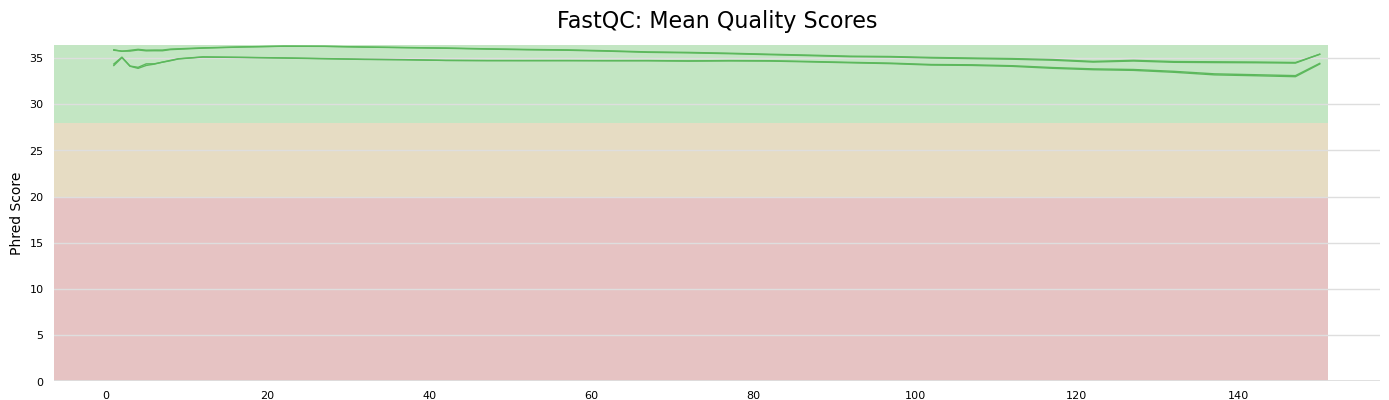
process.1 example: FastQC/MultiQC quality evidence accompanies the
trimmed FASTQs and text reports.#
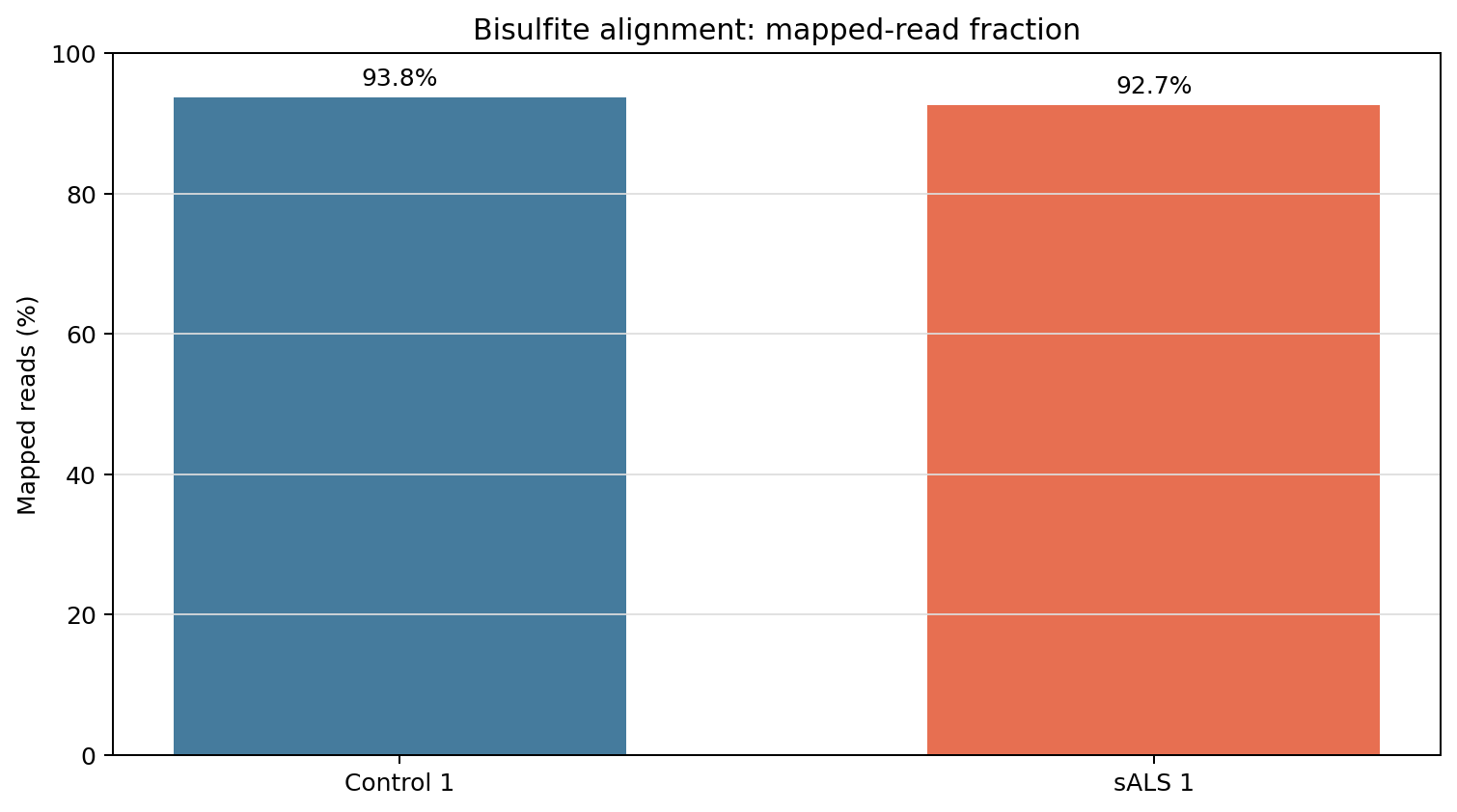
process.2 example: mapped-read evidence accompanies each BAM, index,
flagstat, and stats file.#
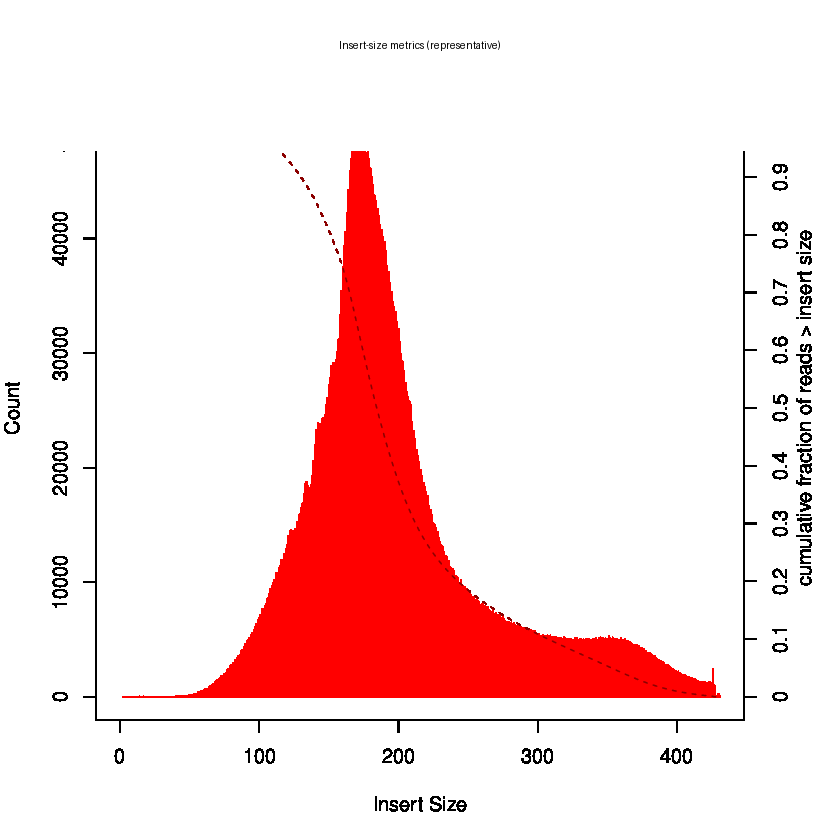
process.3 example: duplicate-marking and Twist target metrics are
retained alongside Picard insert-size, GC-bias, and alignment summaries.#
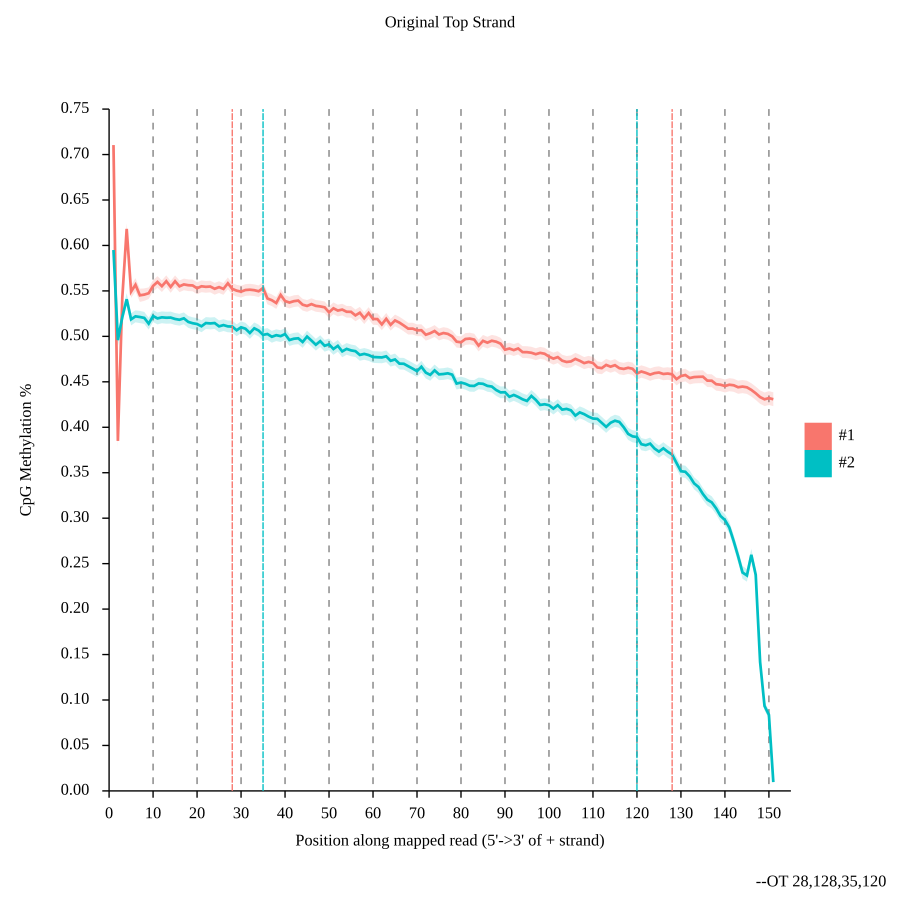
process.4 example: M-bias is inspected before the OT/OB bounds are
applied to the merged CpG call.#
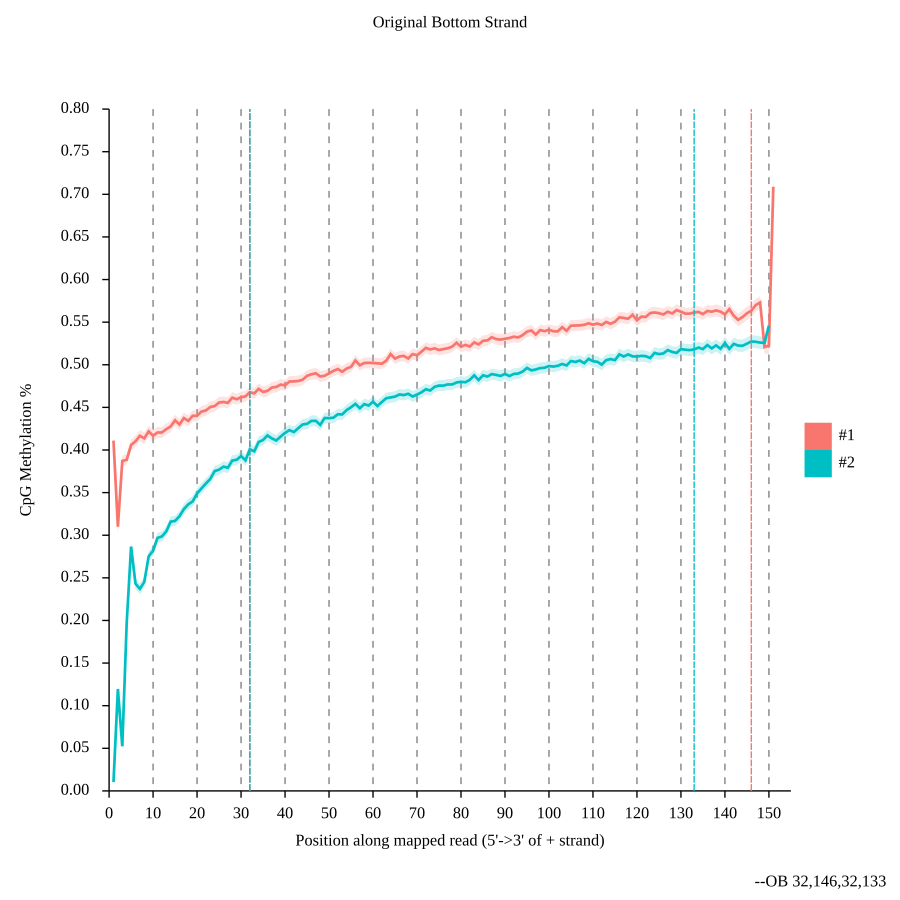
The OB view is interpreted together with OT, depth, the resulting CpG bedGraph, and any independently validated conversion-control evidence; it is not a stand-alone quality verdict. Default CFTK processing does not generate CHH/CHG-derived conversion metrics.#
Command Provenance#
CFTK records external workflow commands in an append-only JSONL ledger:
<output_dir>/results/provenance/commands.jsonl
Every command has a start record written before launch and a matching
finish record with the return code. Records include the full untruncated
command, UTC timestamp, working directory, run ID, command ID, and a readable
label. Parallel workers append to the same locked ledger. A start without a
matching finish indicates that the process was interrupted or killed.
The ledger records command execution, not scientific validity. Archive it with
cftk_init.json, cftk.lock.json, scheduler logs, software environment,
and expected outputs. Command text is stored verbatim, so do not place secrets
or access tokens in workflow extra_args.
Validation Strategy#
For a new compute environment, validate steps incrementally:
cftk --config cftk_init.json process -s 1
cftk --config cftk_init.json process -s 2
cftk --config cftk_init.json process -s 3
cftk --config cftk_init.json process -s 4
Check logs and expected output files after each direct expert step. The
beginner cftk run command performs these checks automatically; run-all
does not.