User Guide#
The user guide follows the order of a typical CFTK project: configure samples and references, process raw data, run quality control, compute fragmentomics features, plan downstream analyses, perform differential analysis, model modalities, and generate reports.
Expected Outputs#
Each page below embeds a visible example and names the files or in-memory objects that a real run produces. The processing/QC examples marked as sanitized are observed technical workflow evidence. Downstream examples marked synthetic are fixed-seed illustrations for learning the output shape only.
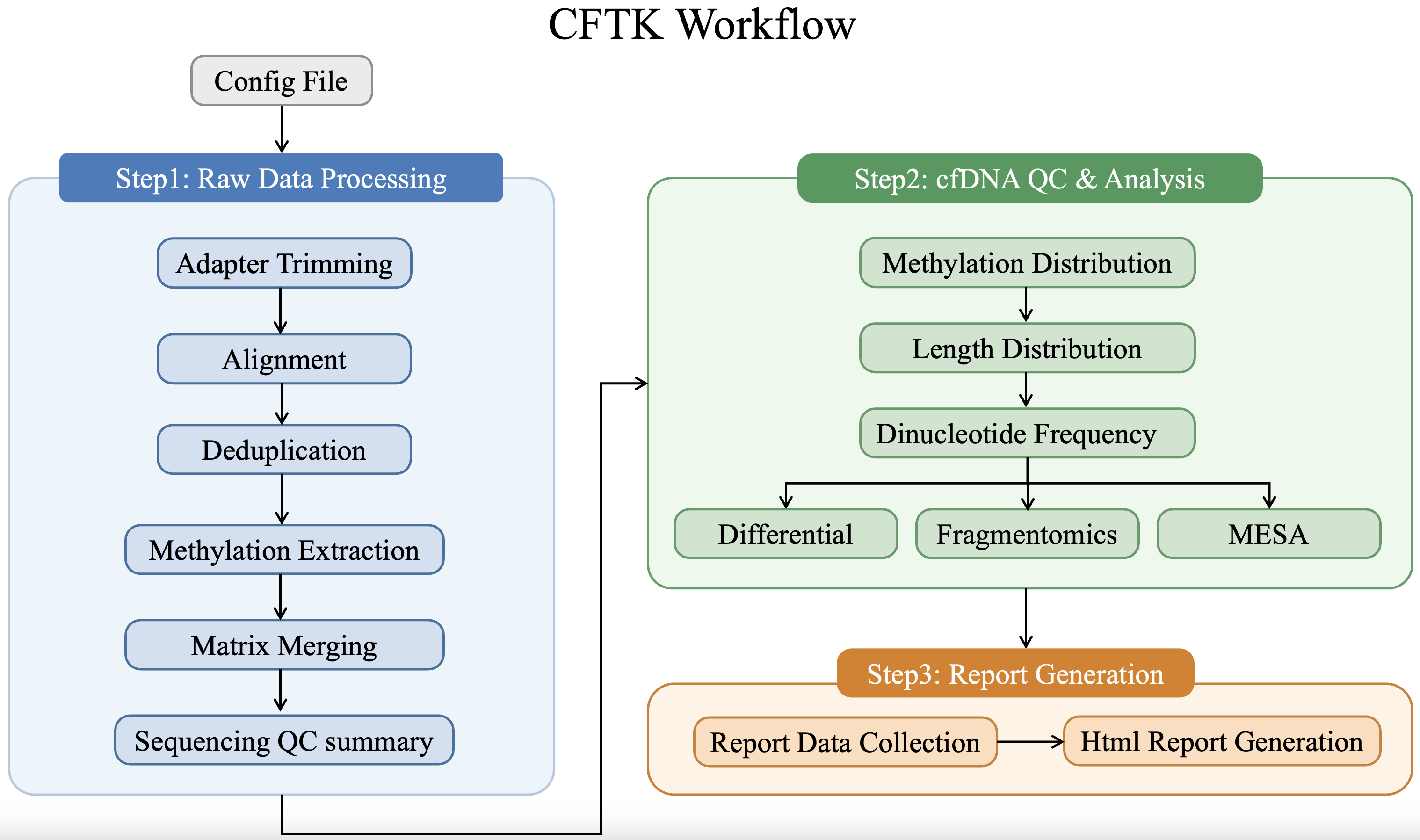
High-level orientation: the result roots are results/1_process,
results/2_qc, results/3_differential,
results/4_fragmentomics, results/5_mesa, and results/report.#